Guide
Marching with an e-ink tablet: all your sheet music in one place
March book, concert and dance music on one Android e-ink tablet – readable in the sun, locked against your thumb, the next piece arrives over Bluetooth.
In a parade the march book is clipped to the lyre, the wind turns the pages for you, and by the third street procession at the latest someone is missing the part for the march the conductor has just called. A regular tablet is not much help: it reflects in the sun, the battery is flat after the festival Sunday, and the thumb on the edge turns pages whenever it likes.
E-ink tablets solve exactly these problems. And because the Notenarchiv app runs on them, you have all your sheet music in one place – march book, concert programme and dance music on one device, always in the current version.
What you need
- An e-ink tablet or e-book reader running Android – for example from Onyx Boox, Tolino or PocketBook. Android 7.0 is enough.
- The Notenarchiv app: from Google Play or, for devices without the Play Store, as an APK at app.notenarchiv.com/android.
- Bluetooth switched on if the change of piece should arrive live (more on that below).
There are no e-ink devices running iOS – on iPhone and iPad the app works as usual, just without e-paper mode.
Why e-ink suits marching
- Readable in bright sunlight. E-ink does not reflect and does not glow – the page looks like paper, and the brighter it is outside, the better.
- Battery for the whole festival day. An e-ink display only uses power when the page changes. A page that stays put costs next to nothing.
- Light and handy. A 7 to 8 inch device sits better on the instrument than a large tablet and weighs hardly more than a march book.
The app’s e-paper mode
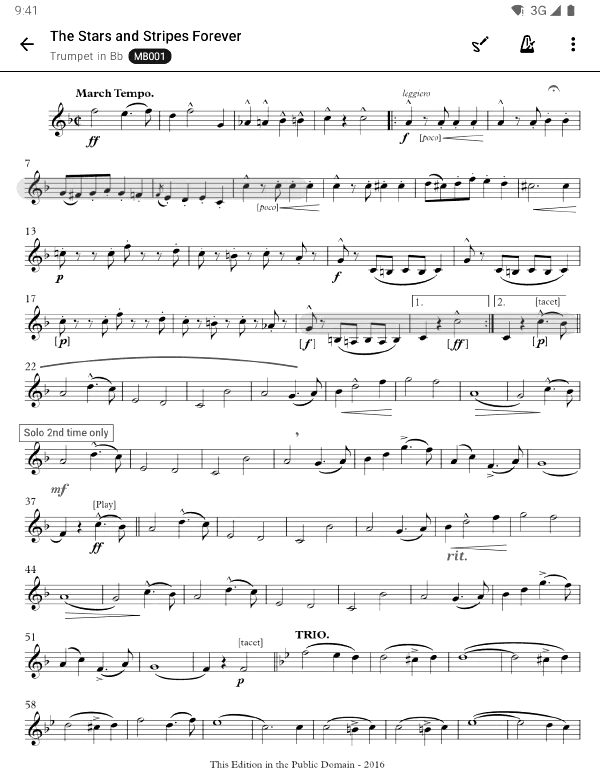
On an e-ink device the normal look of an app falls apart: delicate shades of grey blur into one, animations leave smears, and every intermediate step while zooming is a screen refresh of its own. The Notenarchiv app therefore detects e-ink devices by itself and switches to e-paper mode:
- Black, white and a single grey – elements are separated by borders instead of shades.
- No transition animations – nothing smears when you move between screens.
- Zoom in fixed steps instead of continuously – the display refreshes once, not sixty times a second.
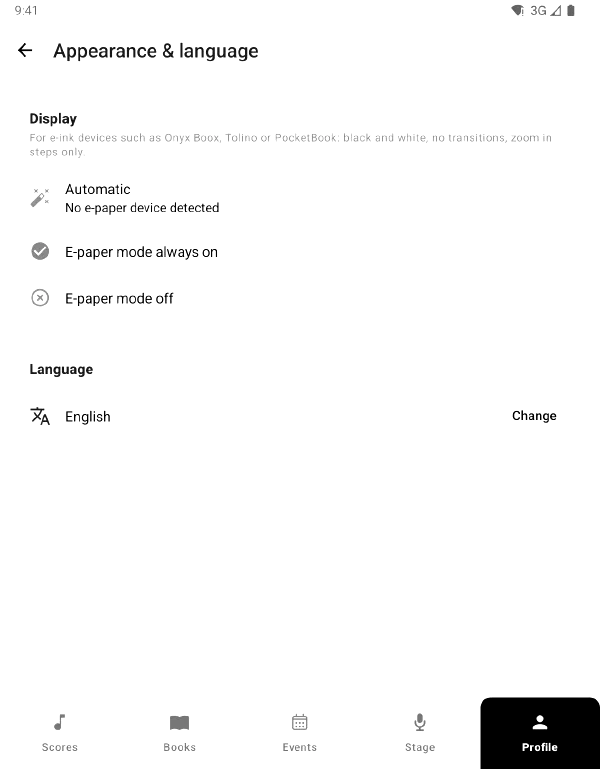
If the app does not recognise your device, switch the mode on yourself in the profile under Display.
March mode: thumb on the page, still no page turn
When marching you hold the device by its edge – and your thumb rests right on the page. Two things stop it from turning pages by accident:
- Holding-finger detection (always on): a finger lying still on the display counts as a grip and does not turn the page – not even when you lift it.
- March mode (button or pedal): the walking figure in the header locks the page completely. You unlock it with a deliberate slide, never with a tap or a jolt.
You can hide the button per device: the marching tablet has it, the stage tablet does not.
The conductor switches – over Bluetooth
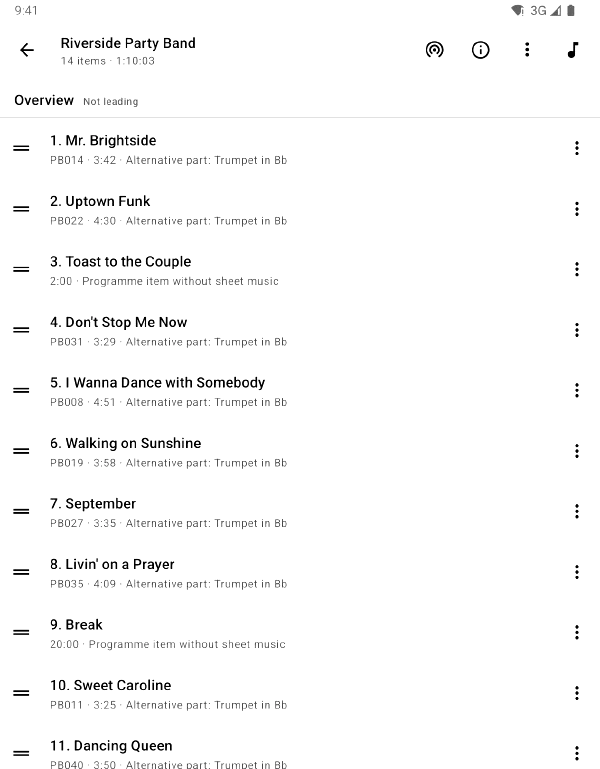
In Stage Mode you put the set list together beforehand – for example all marches for the parade in the right order. The conductor opens the session on their device, everyone else joins with a tap. When they move on to the next march, your own part jumps to the new piece on every device – even with the page locked.
This works over Bluetooth, so without Wi-Fi and without mobile data – exactly where nothing else works during a parade. Bluetooth reaches as far as the radio range of the device at the front. Anyone marching further back who has mobile data also follows via the server; the app uses both channels at the same time.
Only the set list and the current piece travel over Bluetooth, not the sheet music itself. That is already on the device – the next section takes care of it.
Beforehand: get the music onto the device
So that nothing has to load on the street, prepare the programme in advance:
- In Stage Mode, Prepare offline for performance puts every part of the set onto the device.
- An offline rule such as “Trumpet 1 from the march book” keeps the whole march book on the device permanently – including marches added later.
How the offline levels work together is explained in the guide Sheet music offline.
Checklist before the parade
- The evening before, open the app on Wi-Fi and sync.
- Check the set list in Stage Mode and prepare it offline.
- Switch on Bluetooth, charge the battery.
- Before setting off, join the session and switch on march mode.
Stage Mode is part of the Premium plan and released as beta; your admin switches it on in the organisation settings. E-paper mode and march mode are available on all plans.