All features of digital sheet music management
Core features
Manage your sheet music archive
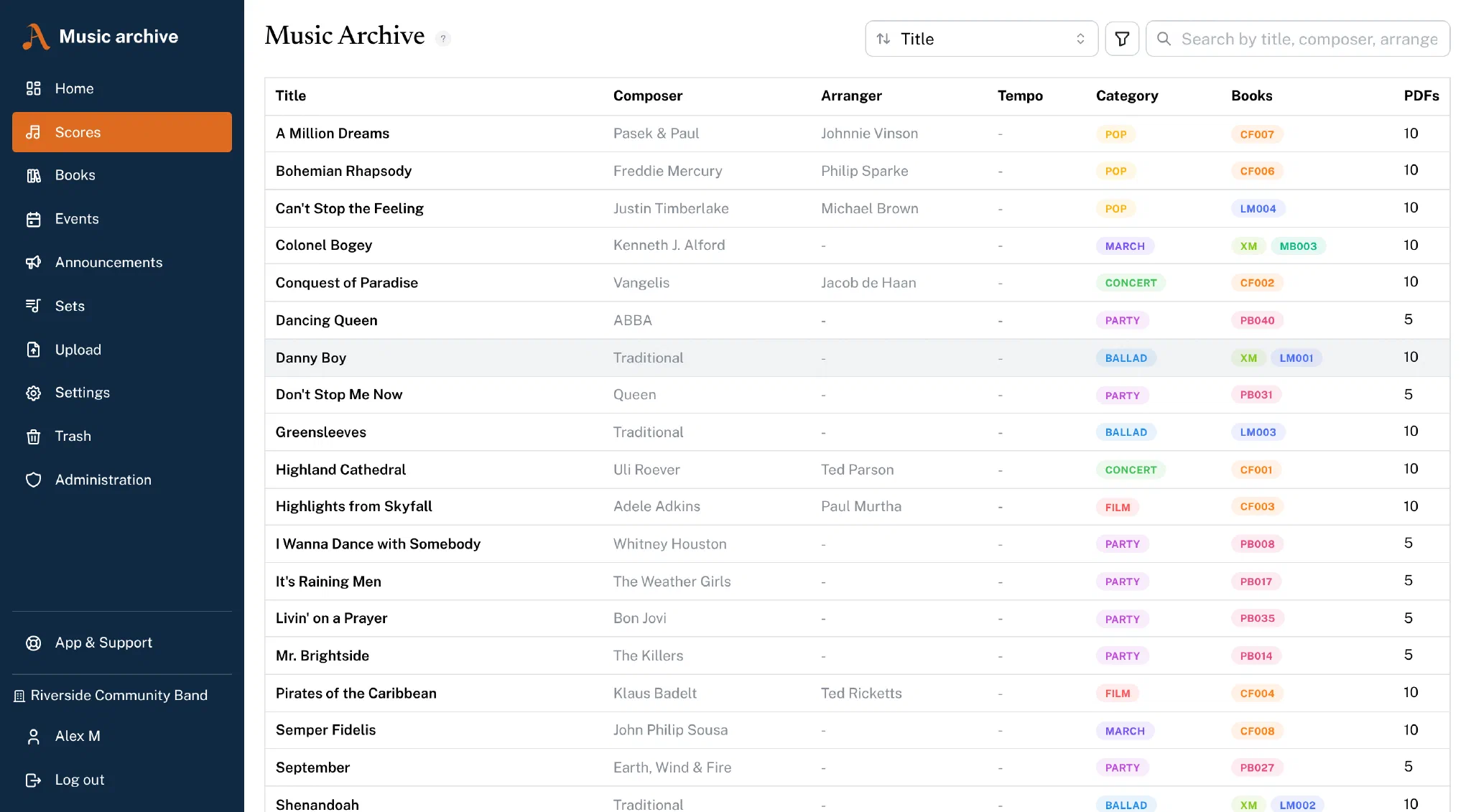
All of your club's pieces in one place: search, filter and organise your entire sheet music collection. Every piece is recorded with its title, composer, arranger, publisher and category.
The search delivers results in real time, and with infinite scroll you keep the overview even with large collections.
The search forgives typos and alternative spellings – “Dvorak” without the háček finds the piece just as well. Type book numbers however they come to mind (“SO007”, “so7”), and a piece can carry additional titles under which it is found too.
PDF management
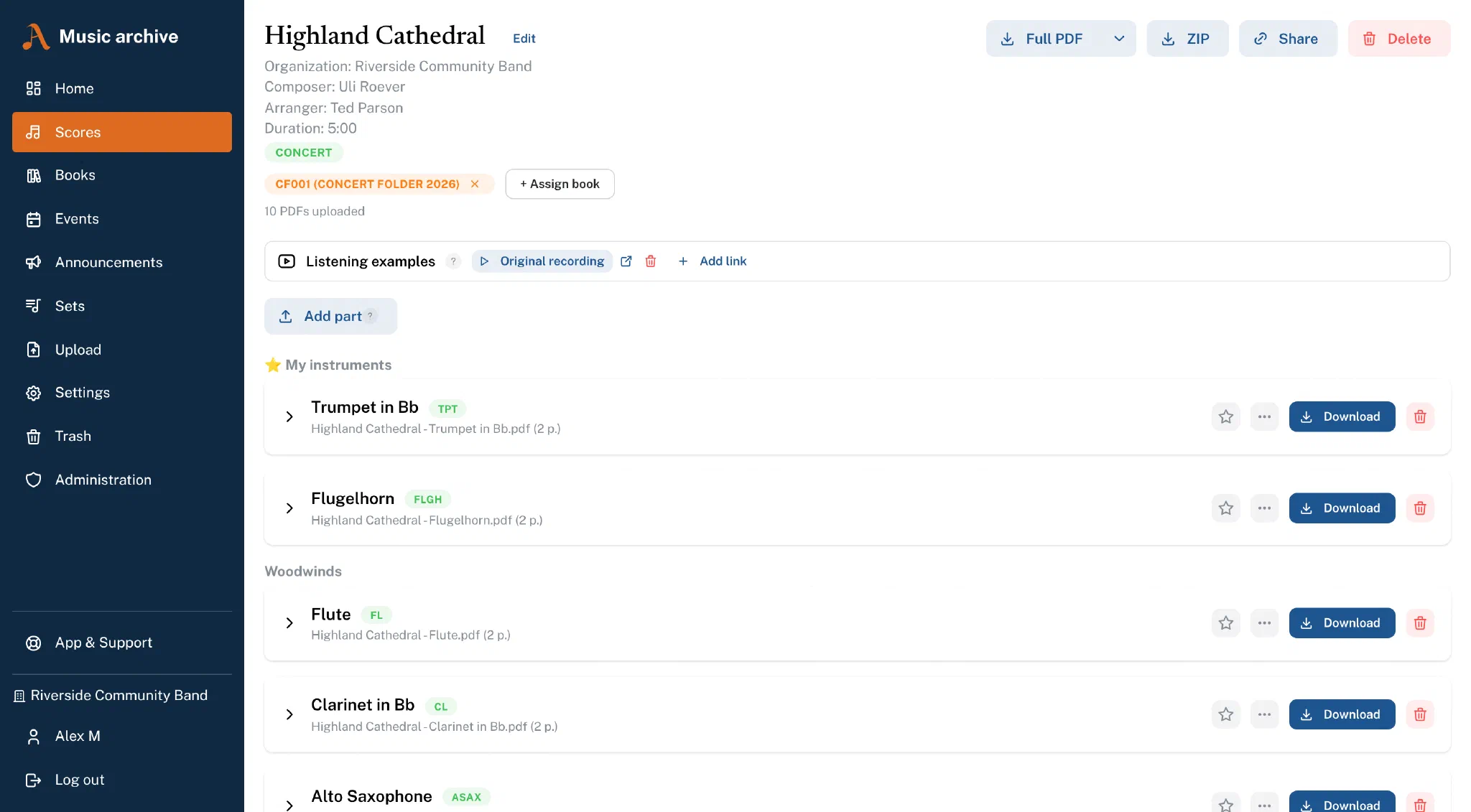
Upload sheet music as a PDF or forScore file and make it available to your members for download. There are several download options:
- Combined PDF – All parts merged into one PDF (with bookmarks per instrument)
- ZIP download – Each part as its own file in a ZIP archive
- forScore export – Download parts as a forScore file with all metadata
- Single download – Download individual parts directly
Members only see the parts for their own instruments – so everyone finds the right part instantly.
PDF tools in the browser
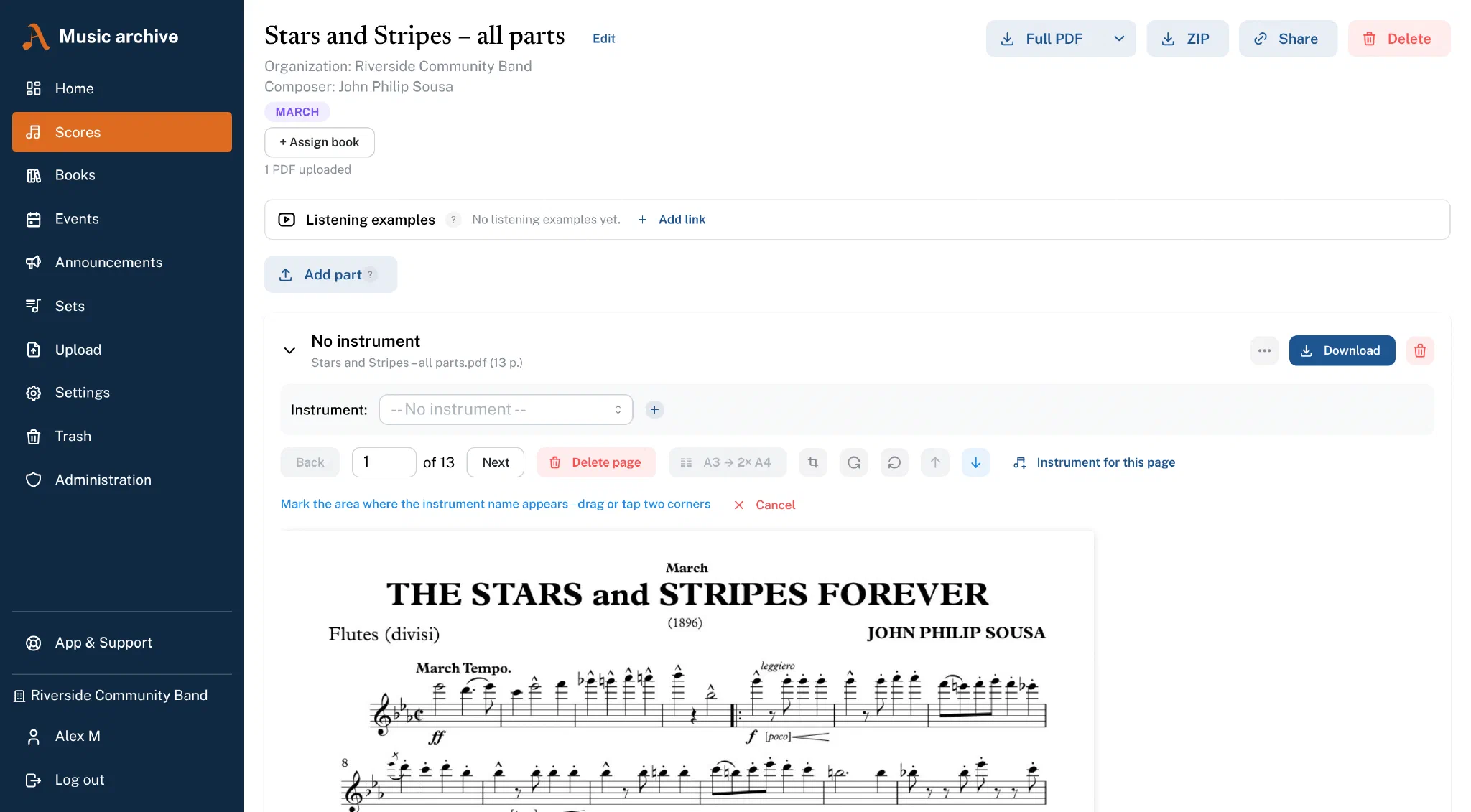
Edit your sheet music PDFs right in the web app, without any additional software:
- Split pages – Automatically split A3 pages into 2x A4
- Assign instruments – Mark areas on a page and assign them to instruments
- Split collective PDFs – Upload a complete bundle of parts and have it split automatically into individual parts
- Remove pages – Delete blank or unnecessary pages directly
AI instrument recognition
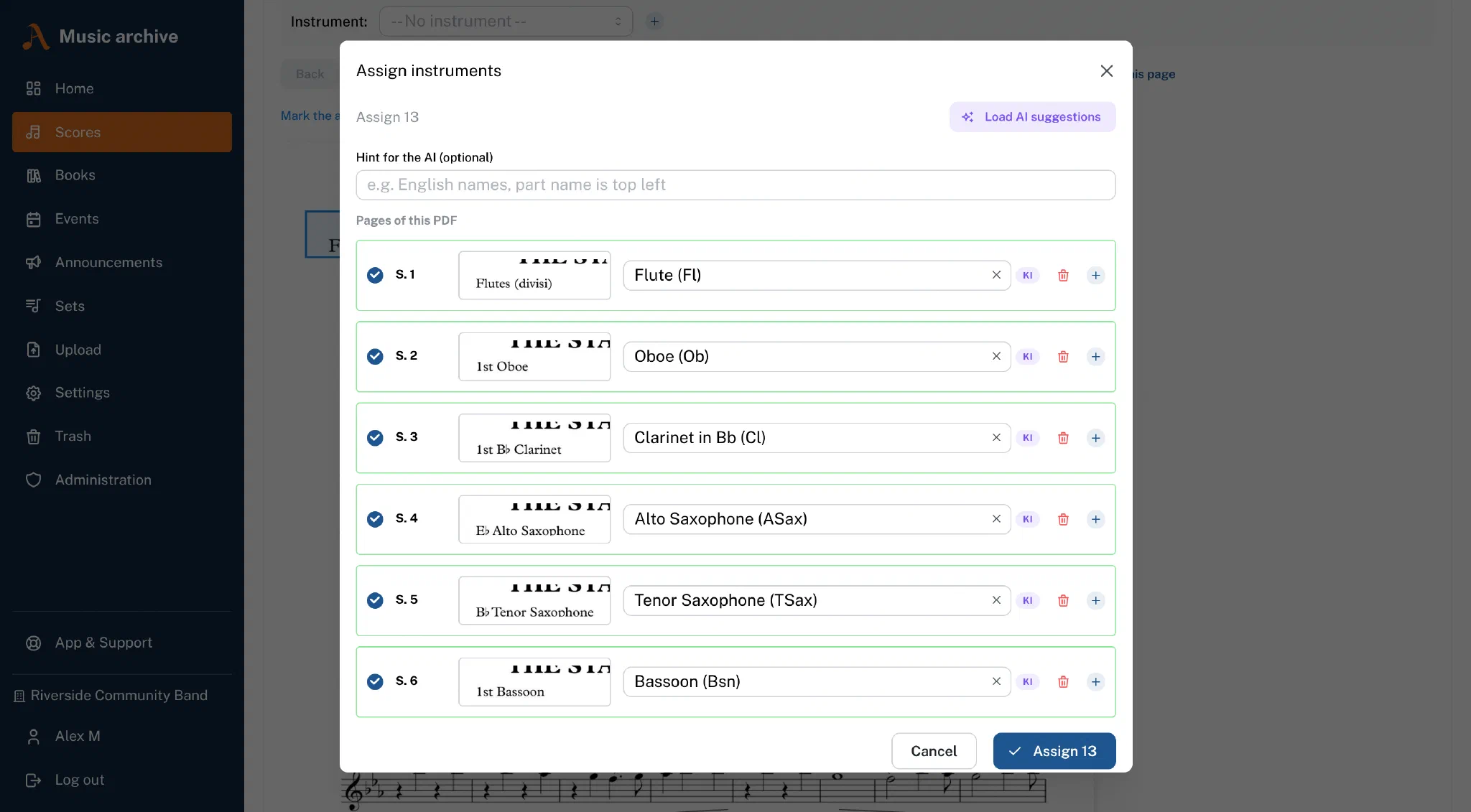
During upload an AI automatically recognises which instrument the sheet music is written for:
- Mark the area on a page where the instrument name appears
- Click on "Load AI suggestions"
- The AI analyses every page and proposes the matching instrument
- Review the suggestions and apply them with one click
Recognition works particularly well with clearly printed instrument names. Using aliases (alternative spellings) you can improve the hit rate even further.
Books & sheet music collections
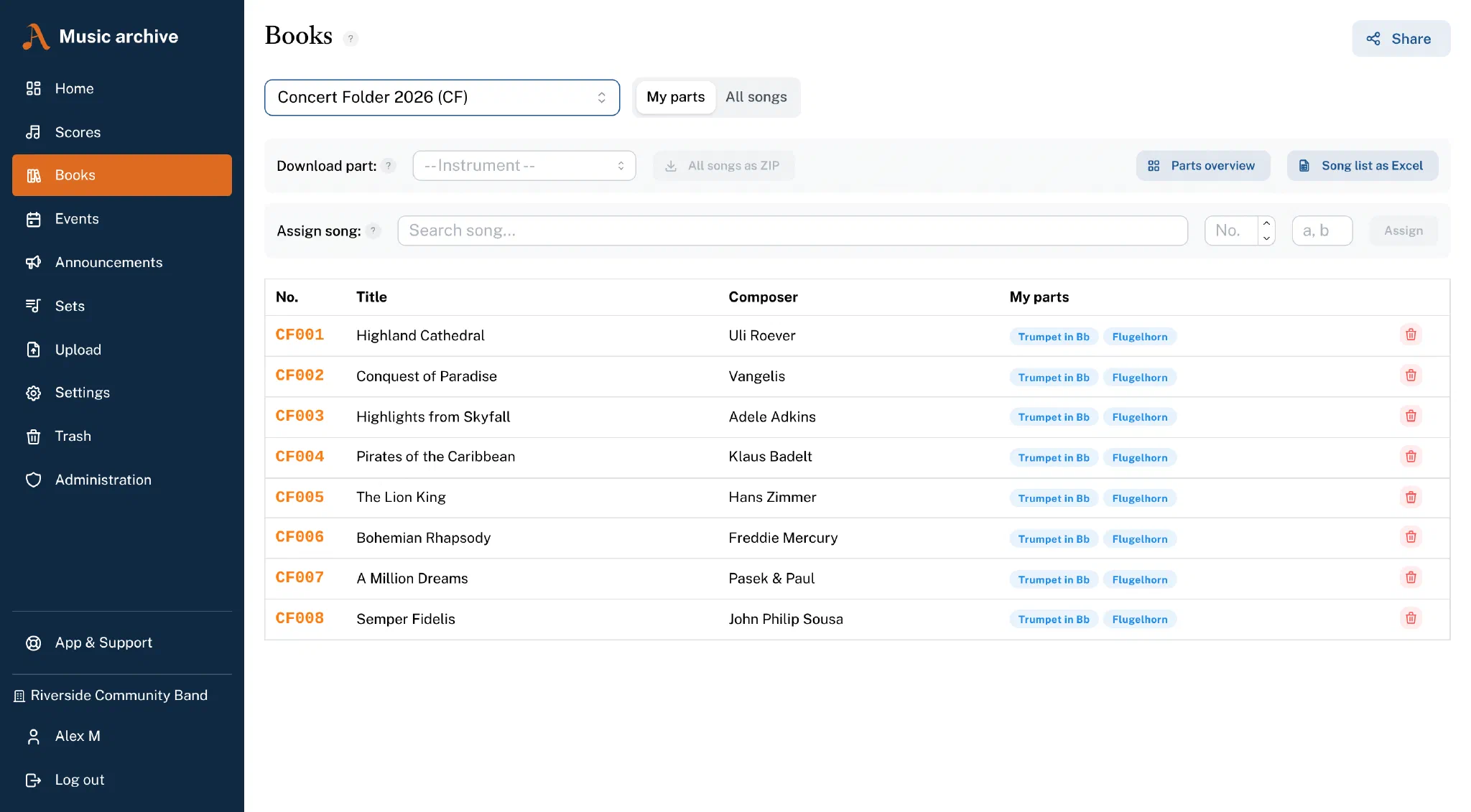
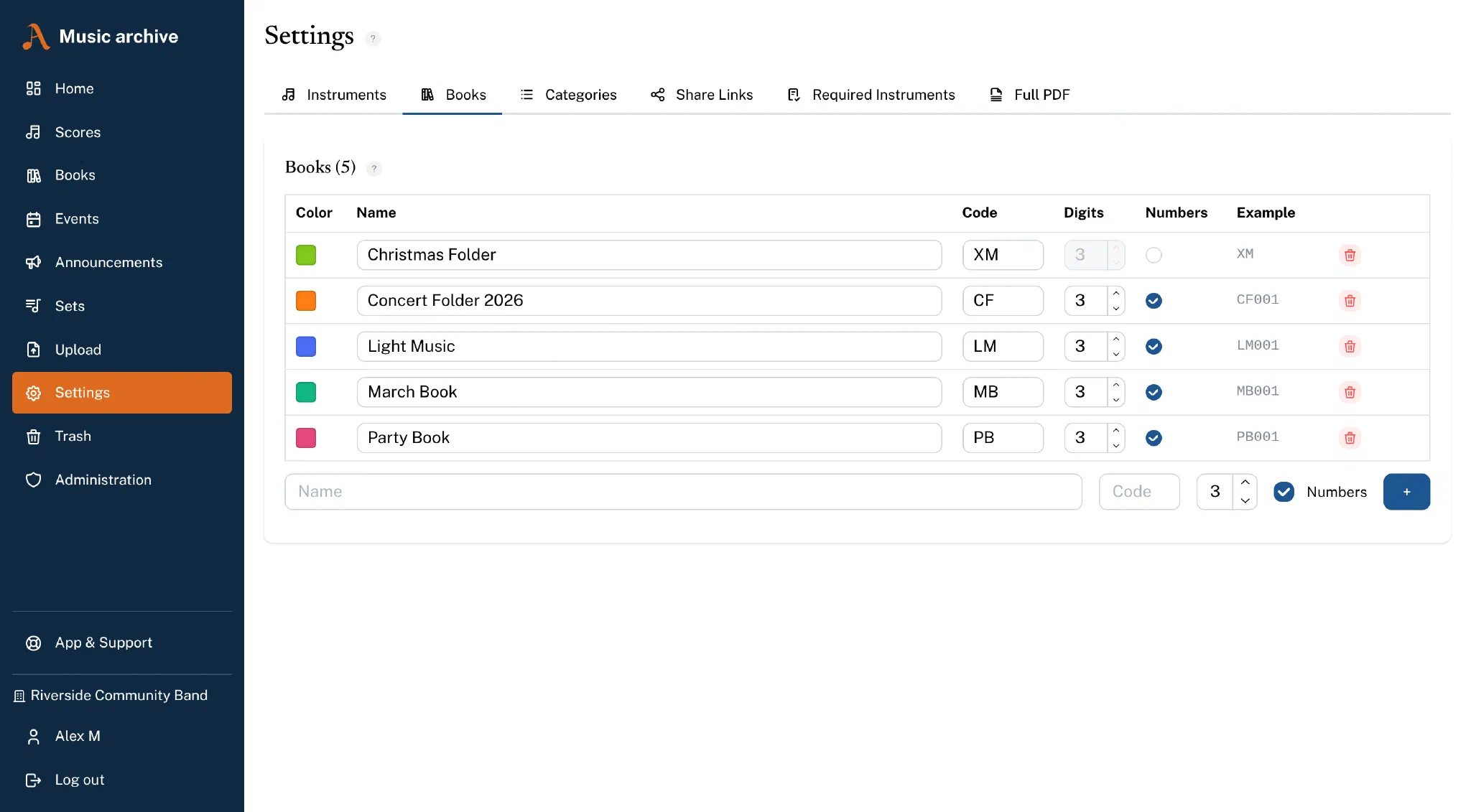
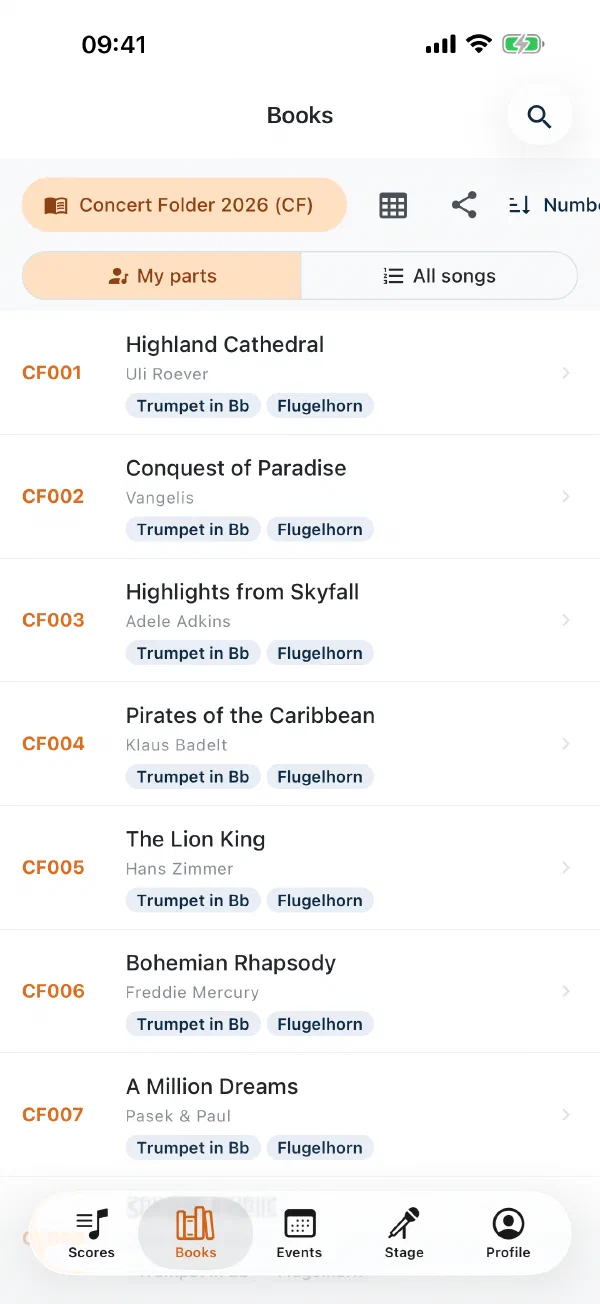
Organise pieces in music books, folders or programme booklets – e.g. "2025 concert programme" or "march music". Each book has its own code and a sequential numbering (e.g. SO007).
You can download all parts of a particular instrument from an entire book at once as a ZIP – either as PDF or forScore file. Perfect for creating part booklets or importing sheet music directly into forScore.
Not every collection is numbered. For a concert folder or a project booklet you can therefore turn numbering off – the book then holds a loose collection, and the pieces sit in it without an assigned number.
Paper archive: where is the original?
Besides the digital parts, Notenarchiv also manages the paper originals: storage locations as a tree – room, cabinet, shelf – and an archive number per set, optionally with its own number sequence per cabinet. “What is in cabinet 3?” is one click away, whole shelves move in one step, and the inventory list is available as Excel.
- Labels with QR code on common A4 sheets
- Stocktaking with the app – scan the shelf, then the sets; works without a connection in the basement too
- Purchase and licence optionally on the piece, with receipts
Storage locations and archive numbers are available in all plans; labels, stocktaking and purchase and licence in the Premium plan. Your admin switches the paper archive on in the organisation settings.
Import assistant: bring your existing library
If you already have a score list in Excel or a folder full of PDFs, you do not start from scratch. The import assistant in the browser takes over:
- Score list from Excel or CSV, with column mapping and matching against your library
- Music folders via folder selection, drag & drop or as a ZIP – the folder structure assigns books, pieces and parts
- Member list without automatic emails; invitations are a separate step
Every step shows beforehand what will happen, keeps a log and, for the score list, can be undone for 14 days.
The detailed step-by-step guide is in Bringing your existing sheet music archive.
Scanning sheet music with the phone camera
No scanner at the rehearsal room? The Notenarchiv app brings one along. The scan button in the header of the music list opens your device's document scanner – the built-in one on both iOS and Android, with edge detection, perspective correction and manual corner adjustment.
A review screen then lets you pick greyscale (the default), black and white or colour. The app removes shadows, lifts the contrast and builds a multi-page PDF from the pages, which goes straight into the familiar assignment flow.
Scanning also works without a connection: the scan waits in an outbox on the device and is uploaded as soon as the organisation is reachable again. Anyone who may upload may scan.
Page checks: blank pages, duplicates, A3 sheets
After an upload, Notenarchiv looks through every page – without AI, purely by calculation – and reports what stands out about the scan:
- Blank pages – measured against the paper white of the scan rather than absolute white, so yellowed paper and scanner streaks do not cause false alarms.
- Duplicate pages – even when the original went through the feeder at a slight angle.
- A3 spreads scanned sideways – rotating and splitting into 2× A4 happens in one step, with a preview and a switch for the direction of rotation.
Listening examples on a piece
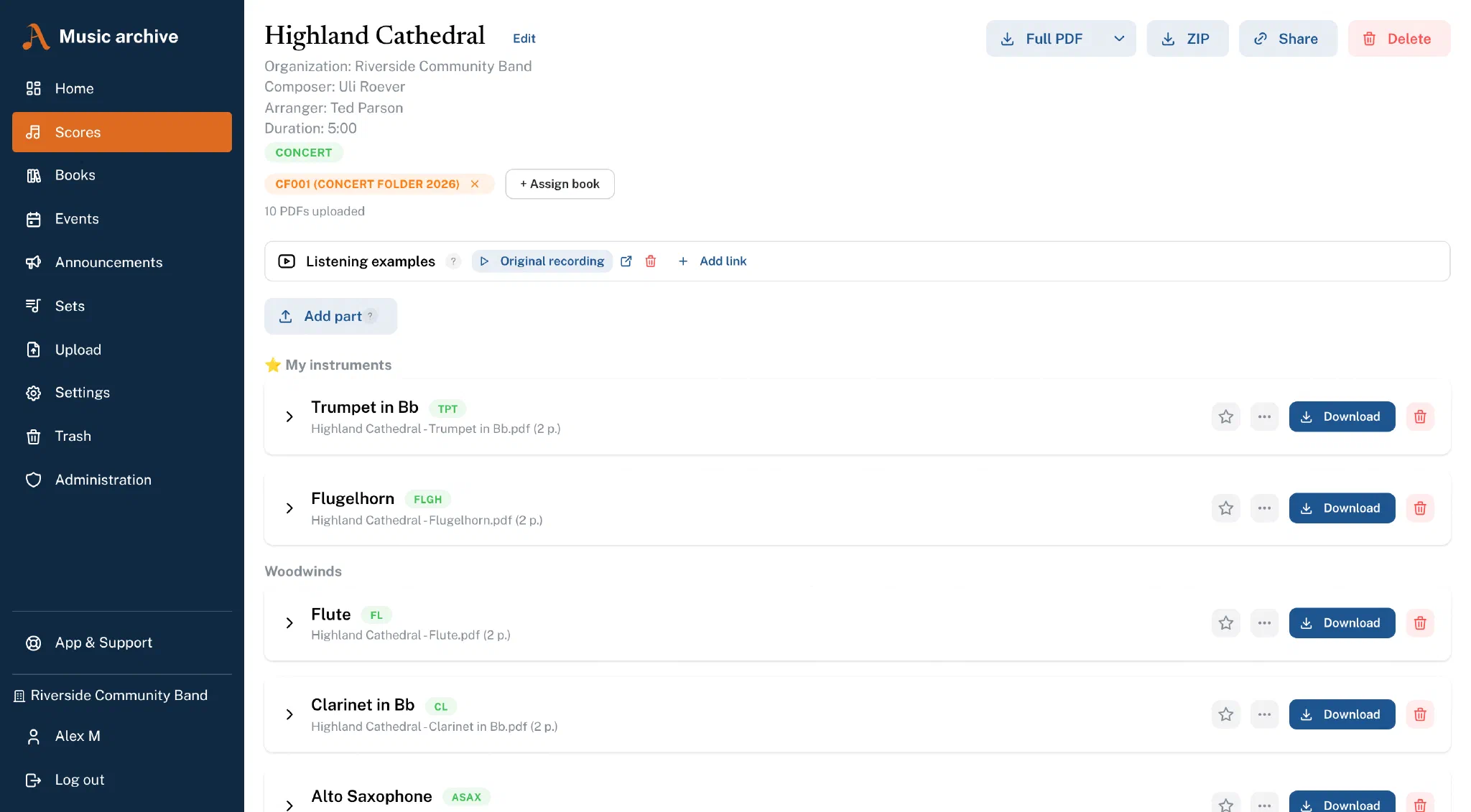
YouTube links can be stored on a piece – a recording of your own band, a reference performance, the original. Several recordings per piece are possible, each with its own label.
In the browser the player is only loaded once you click, via youtube-nocookie.com: before that, no request reaches Google. In the app a tap opens the video in the YouTube app. Librarians and admins maintain the links, all members can listen – and anyone who receives a share link sees the listening examples too.
Rehearsals, performances & stage
Event planning with attendance replies
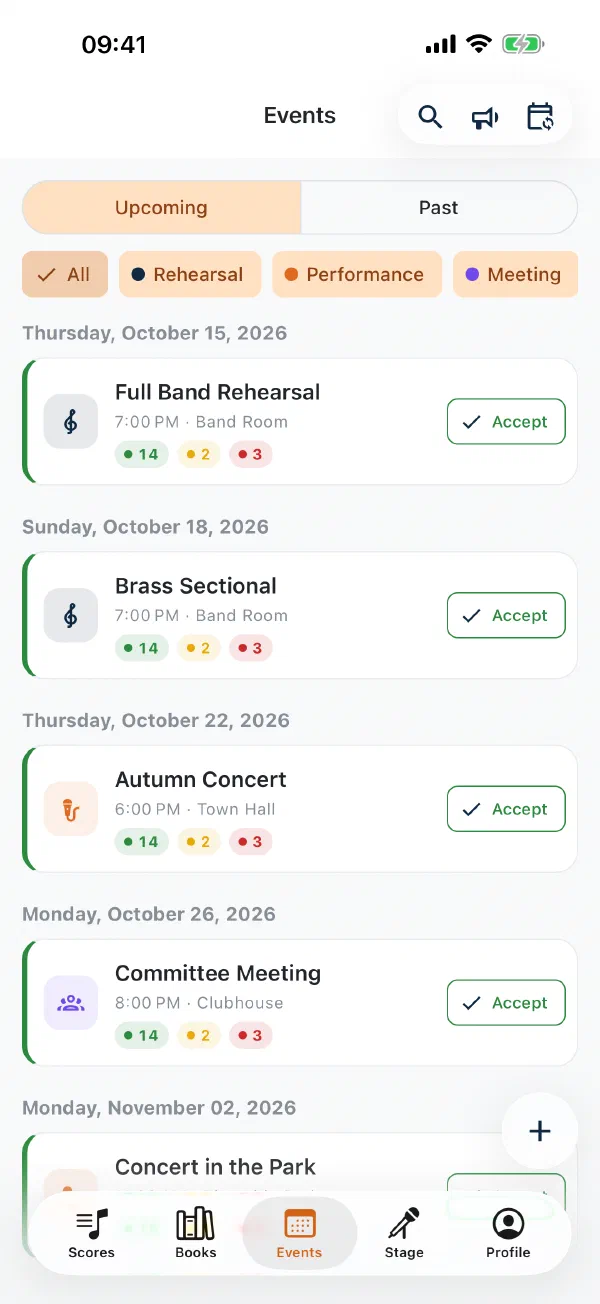
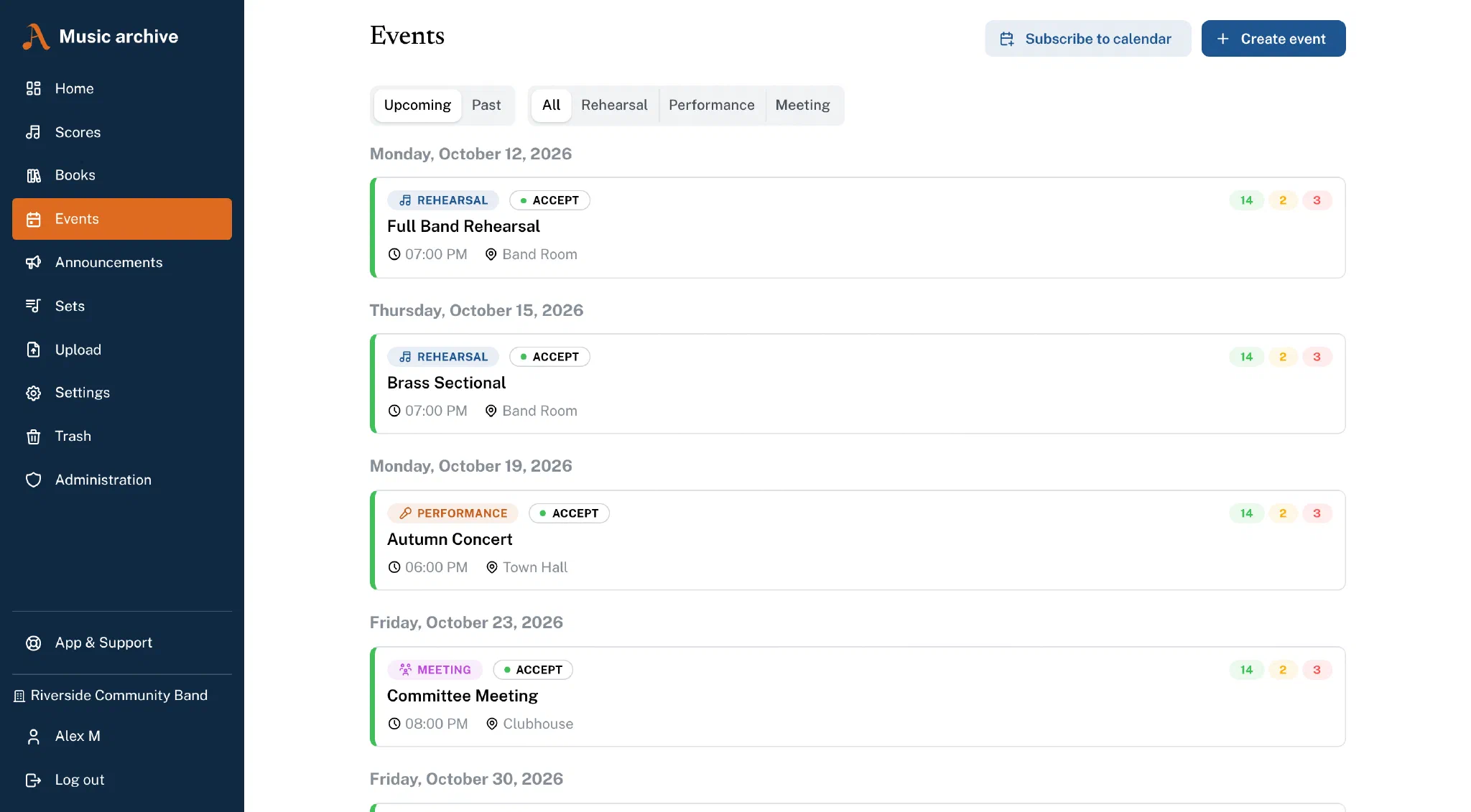
Rehearsals, performances, meetings and anything else live in the same app as the sheet music. An event carries a title, location, time and description – and is addressed either to the whole organisation, to specific groups or to individual sections. Anyone not included does not see it.
- Replies – yes, no and optionally "maybe", with a deadline. Once the deadline passes, replies are closed.
- Attendance by section – how many clarinets have said yes, how many of the percussion? Organisers can also set a reply on someone's behalf.
- Reminders – as a push notification, on the Premium plan also by email, with a lead time you choose. Changes go out bundled rather than one by one.
- Cancellations – a cancelled event stays visible and can be reactivated.
- Targeted invitations – invite or exclude individual people, invite external guests via link without an account, and attach the programme directly to the event.
- Reply reminder – one button reminds everyone who has not replied yet by push; on the Premium plan an email is added in which a single click on yes, no or maybe is enough, without logging in.
- Attendance and statistics (Premium) – who was actually there? Recorded with one tap per person, evaluated per member, section, group and month, with a ranking for awards and export to Excel or CSV. Tracking is optional and switched on by the organisation.
- All organisations in one list – if you play in several organisations, you see all events together, with the organisation name on the card.
Creating and editing is for librarians and admins; every member can reply.
Event planning including calendar subscription, notice board and homepage widget is available in all organisation plans; your admin switches it on in the organisation settings. The event insights – attendance and statistics, staffing traffic light, performance history and music report – are part of the Premium plan.
Subscribing to events in your own calendar
If you would rather see your club dates in the calendar you already use, subscribe to them: Notenarchiv provides a personal ICS feed that Apple Calendar, Google Calendar and Outlook read directly. New and changed events follow along on their own.
In the app a single event can also be added to the device calendar – including location and notes.
The calendar subscription is part of event planning and therefore requires it. The Subscribe to calendar button sits above the event list in the browser.
Notices and messages in the event
Short announcements – “please wear the uniform on Saturday”, “rehearsal cancelled” – go out via the notice board to the whole organisation, to groups, sections or individual people. With push, optionally by email, with an expiry date, pinned and with a read status for organisers. Deliberately not a chat. Push notifications come with every plan, the additional email with the Premium plan.
In the event itself you write messages to the participants – “meet at 6 pm at the back entrance”. Everyone invited can read them; only those who said yes are notified.
Events on your organisation’s website
If you like, performances also appear on your own website – always up to date, without maintaining them twice. You release individual events and embed the widget as an iframe or script, for example in WordPress, Jimdo or Wix. There is also a public calendar subscription for visitors.
Only the title, date, time, place, a public note such as “free admission” and, if you wish, the programme are public. Description, participants and replies stay internal.
Staffing traffic light before rehearsals and performances
Is the line-up complete? The traffic light compares a target line-up – from a template or set for the event – with the replies: “2 × tuba missing · 1st clarinet short (1/2)”. Green means covered, yellow still reachable, red too few even with everyone still open.
Organisers see names, section leaders the numbers for their section. A few days beforehand a staffing alert goes out by email and push if it is not enough. The staffing traffic light is part of the Premium plan.
Performance history and repertoire
From the programmes of past events the library knows when a piece was last performed and rehearsed and how often – without any extra upkeep. The score list sorts by “last performed” and filters for “not played for two years”; handy when the next concert programme takes shape.
The repertoire report shows the most frequent pieces for a period, the split across categories and what was not played at all – also as Excel. With take over from set a Stage set becomes the event’s programme directly. Part of the Premium plan.
Music report for GEMA, AKM and SUISA
After the performance, the music report is created from the programme in a few clicks: as a PDF laid out like the collecting society’s form and as CSV/Excel to transfer into the online portal. Encores are combined, breaks and speeches are left out.
A gap report shows missing details such as composer, lyricist or work number and lets you add them straight to the piece. Nothing is reported automatically – there is only the export. The society follows from the organisation’s country; for GEMA the app reminds you of the deadline. Part of the Premium plan, switched on by the admin.
Stage Mode: the set list live on stage Beta
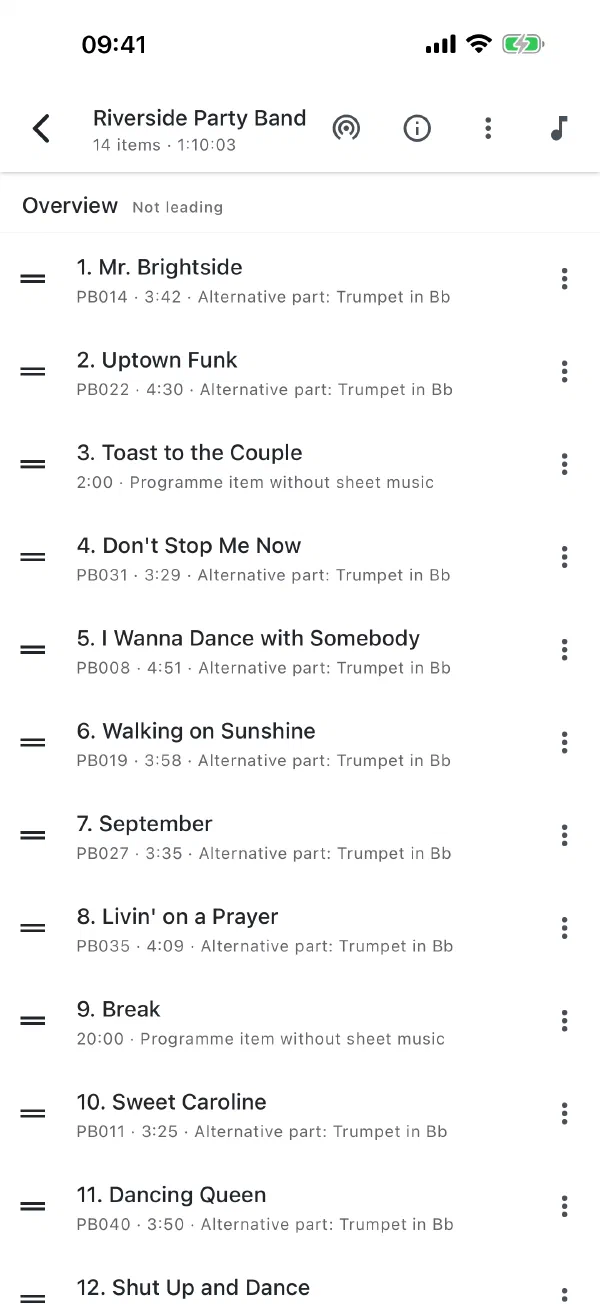
Before the concert you assemble the set list in the app: search for pieces, sort them with the drag handle, book numbers come along automatically. Programme items without sheet music – "welcome speech", "interval", "encore" – are added as placeholders.
On stage one device opens the session and broadcasts it over Bluetooth to everyone nearby – no Wi-Fi, no router, no mobile data. Anyone further away who has a network also follows via the server. Everyone else joins with a tap and immediately has the full state. The conductor calls the change of piece, each player turns pages in their own part and sees on the indicator where the programme stands. Looking something up briefly does not drop you out of the session – it keeps running.
With prepare offline for the performance the whole programme sits on the device beforehand. In a marquee without a network it plays exactly the same.
Every piece carries a duration, and the set adds them up to the programme’s total duration. Store tempo and time signature, and the app’s metronome counts everyone in together.
On the march too: march mode locks the page against the thumb on its edge, and the conductor switches to the next march over Bluetooth – on the street, without a network. It is easiest to read on an e-ink tablet.
For players without a tablet there is the stage display: a TV, for example with a Fire TV Stick, shows the programme with book numbers after entering a code, with the current piece highlighted – no login on the device and no separate TV app. Several screens can be paired; font size and portrait orientation are set in the app.
Beta: Stage Mode is part of the Premium plan; your admin switches it on separately in the organisation settings.
E-readers and e-ink tablets: music like on paper
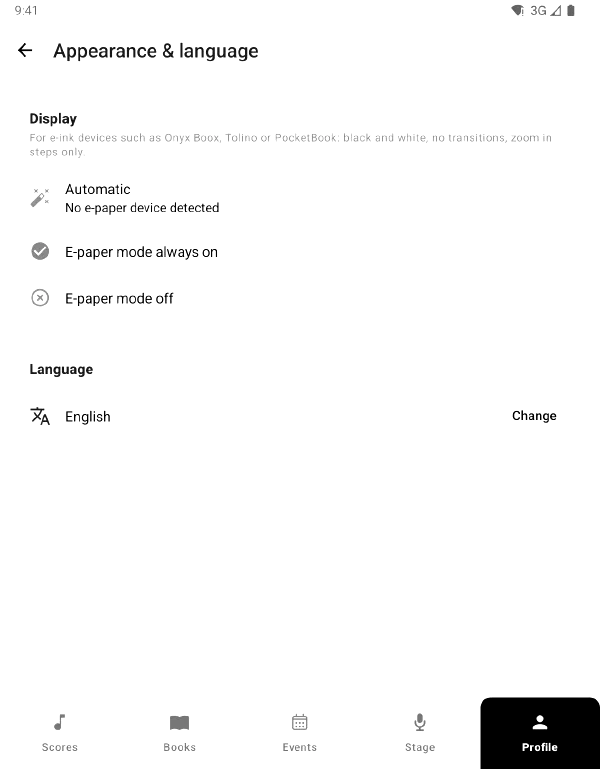
The app runs on Android e-ink tablets and e-book readers – for example from Onyx Boox, Tolino or PocketBook, Android 7.0 or later. It recognises such devices by itself and switches to e-paper mode: black, white and a single grey, no transition animations, zoom in fixed steps instead of continuously. The mode can also be switched on or off by hand in the profile.
That makes e-ink the ideal device for marching: readable in bright sunlight, battery for the whole festival day, and with march book, concert programme and dance music you have all your sheet music in one place. March mode locks the page against the thumb on the edge, and in Stage Mode the change of piece arrives over Bluetooth – even on the street without a network.
Android only – there are no e-ink devices running iOS. For devices without the Play Store the app is available as an APK at app.notenarchiv.com/android. How it all fits together in a parade is explained in the guide Marching with an e-ink tablet.
Markings with a stylus and stamps
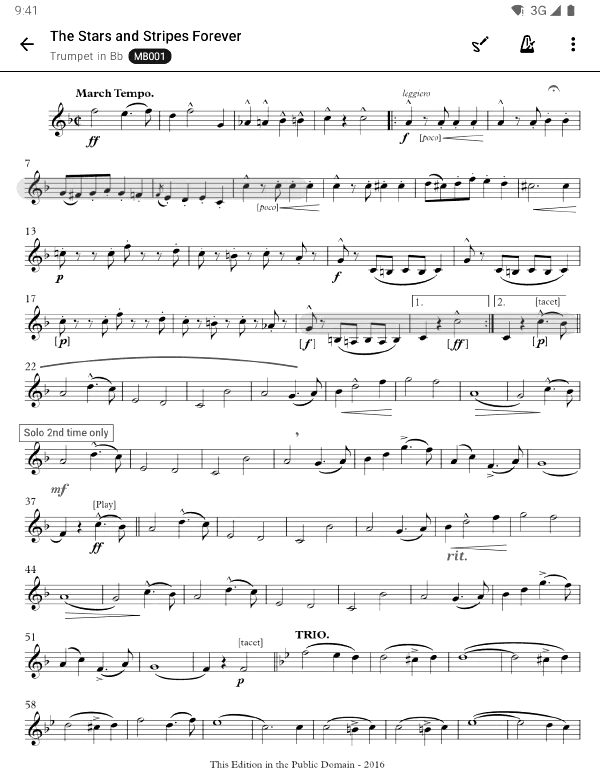
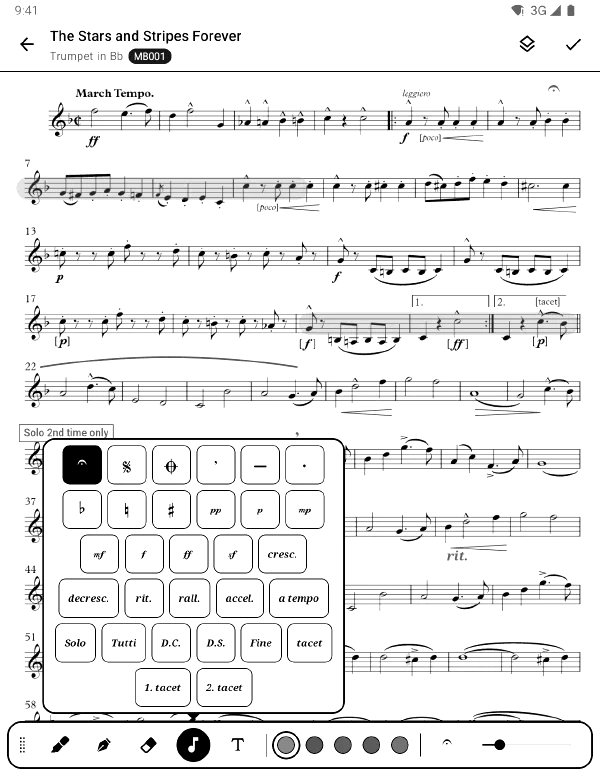
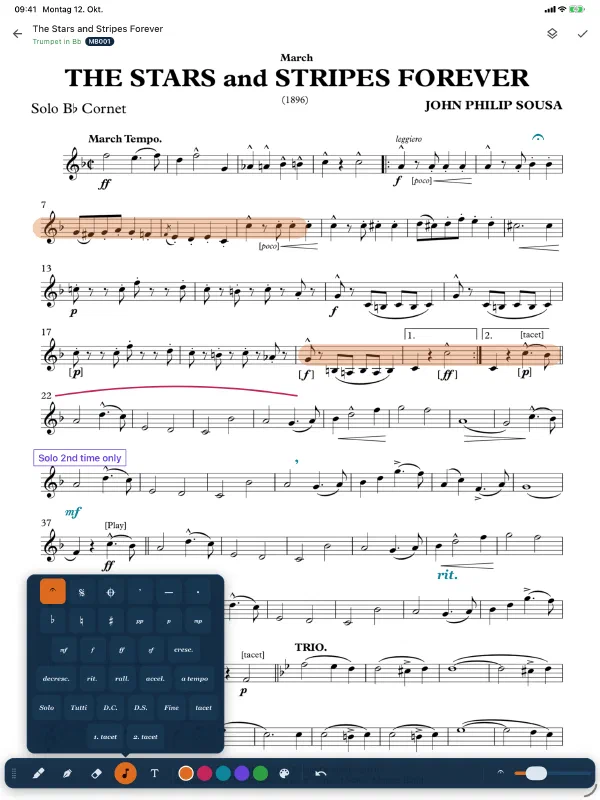
On a tablet, a part becomes a sheet you are allowed to write on again. With an Apple Pencil or S Pen you draw straight onto the page – with pressure sensitivity, and the palm resting on the display does not get in the way.
On top of that comes a palette of ready-made music symbols: fermata, segno, coda, breath marks, accidentals, dynamics from pp to ff, cresc. and rit., tempo, solo/tutti, D.C., D.S., Fine and tacet. Text notes can be placed and labelled.
- Private if you want – everyone has their own layer per part and shares it with the organisation only on request.
- On every device – the same marking appears at the same size relative to the notes on iPad, iPhone and Android, and it is shown in the web view as well.
- Offline too – drawing happens locally and syncs later; nothing is lost.
Markings and cropping are included in every plan.
Jump links: D.C., D.S. and coda with one tap
Like the links in forScore: a frame around the jump sign is linked to its target. One tap jumps there, the exact spot flashes briefly, and a back pill takes you back to where you jumped from.
Jump links belong to you per part, are synced between your devices and work offline and in Stage Mode. If you like, you share them with the organisation – then the librarian sets the jumps once for everyone. With a defined order you play through the whole piece with the foot pedal.
Page-turner pedal and keyboard
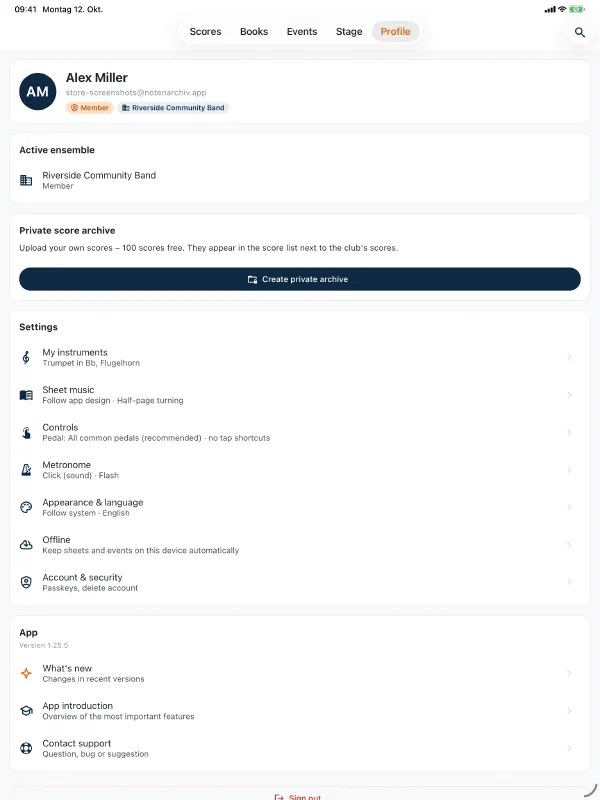
Bluetooth pedals such as AirTurn, PageFlip, Donner or iRig BlueTurn turn pages in the reader and in Stage Mode without you having to guess the pedal’s mode – all common keys are assigned out of the box. In your profile you can teach and test the assignment, for example for night mode or a jump link.
On placeholder pages in Stage Mode the pedal moves on to the next piece. In the browser the music viewer turns pages with the arrow keys.
Page cropping: more music on the sheet
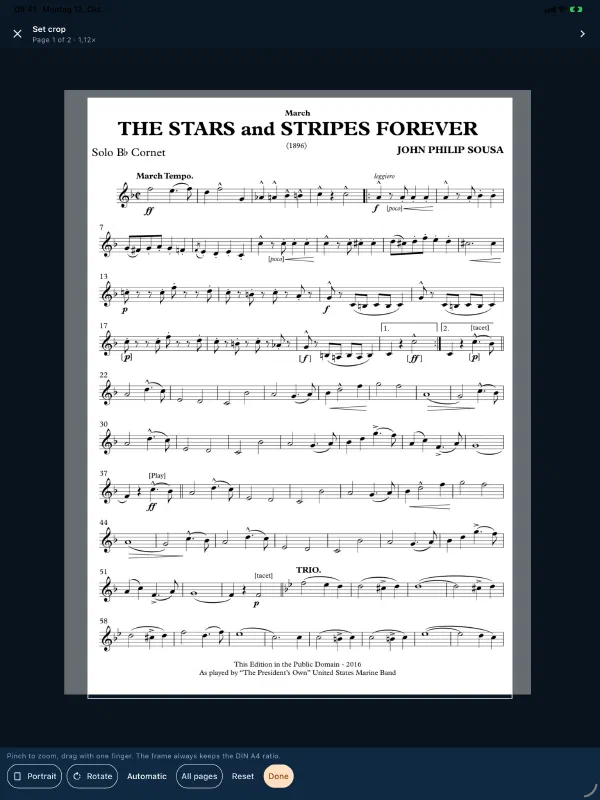
Scanned parts have wide white margins, and on a tablet every millimetre of them costs legibility. Page cropping trims them away: Automatic detects the margin for you, the frame can be dragged by finger, and apply to all pages carries it across the rest of the part.
The crop is non-destructive. It applies in the reader, in the page images and in the preview – the file itself stays unchanged, which is why download, printing and the forScore export still deliver the full page. If you do want the crop written into the file permanently, you can say so explicitly.
Night mode and dark design
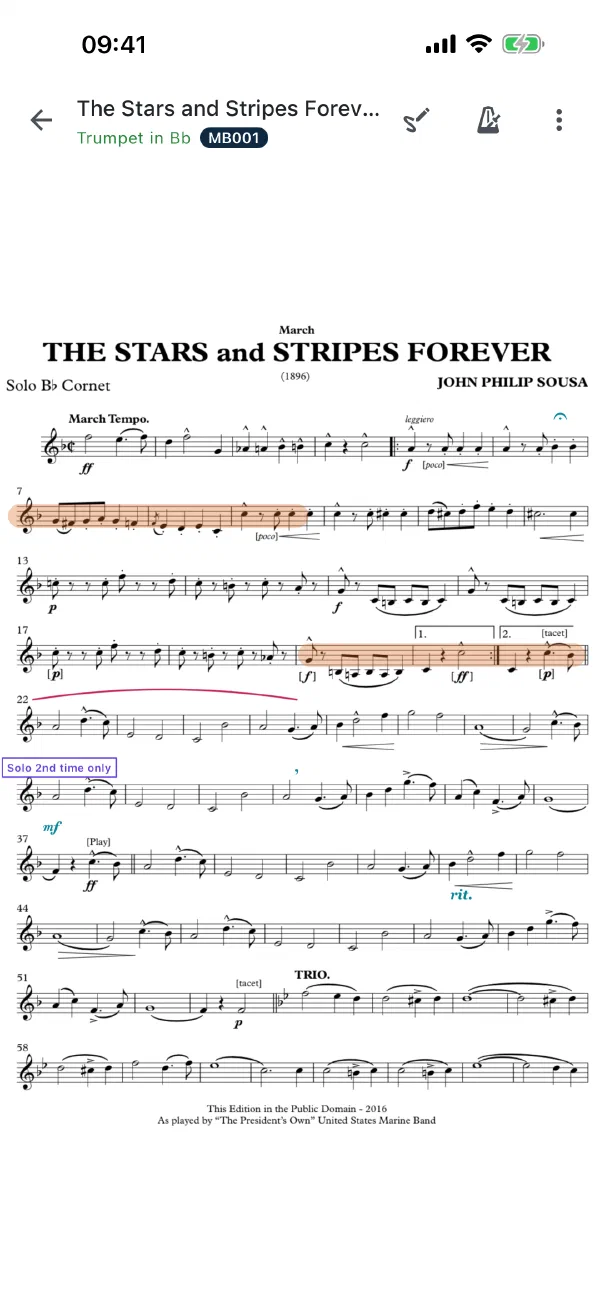
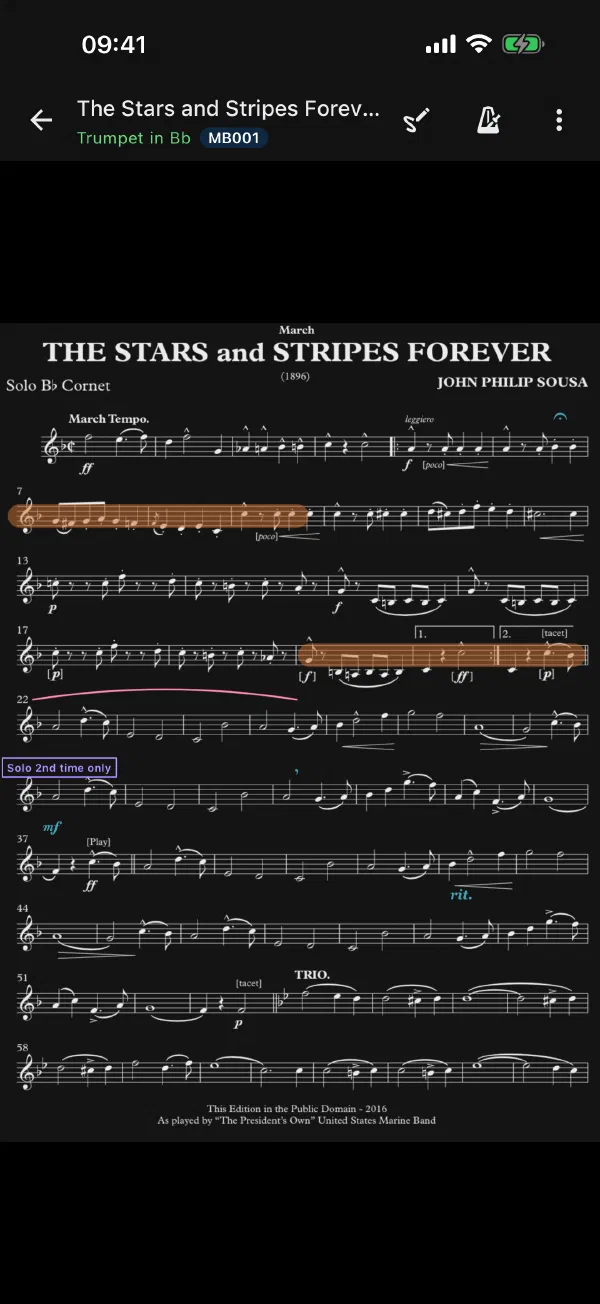
Evening rehearsal, festival tent, darkened hall: in night mode the music appears light on a dark background and does not dazzle. Alternatively there is sepia for a warm tone that is easy on the eyes. You set it once in your profile – it applies to all music, in Stage Mode too, and can be toggled with a page-turner pedal.
The whole app also comes in a dark design – on iOS, Android and in the browser: light, dark or like the device. With like app design the music follows along. Night mode only affects the display: PDFs and annotations stay unchanged.
Collaboration & access
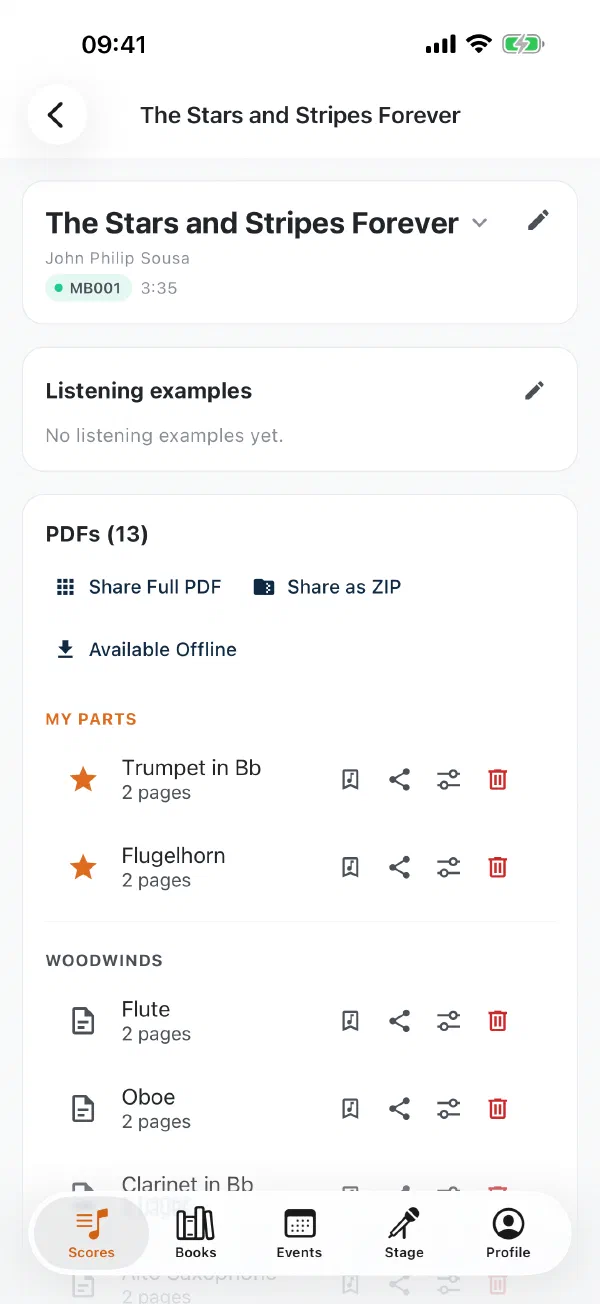
Everyone sees only their own parts
Each member sets in their profile which instruments they play. From then on, Notenarchiv shows only the relevant parts – in the search, in the detail view and on download.
No scrolling through dozens of parts, no accidental download of the wrong part. Librarians and admins still have access to the entire collection.
Roles & permissions
Four roles ensure clear responsibilities:
- Member – Can search and view sheet music and download the parts for their own instruments
- Section leader – Additionally maintains the parts of their own instruments
- Librarian – Can additionally upload, edit, split and share sheet music
- Admin – Has full control over the organisation, members and settings
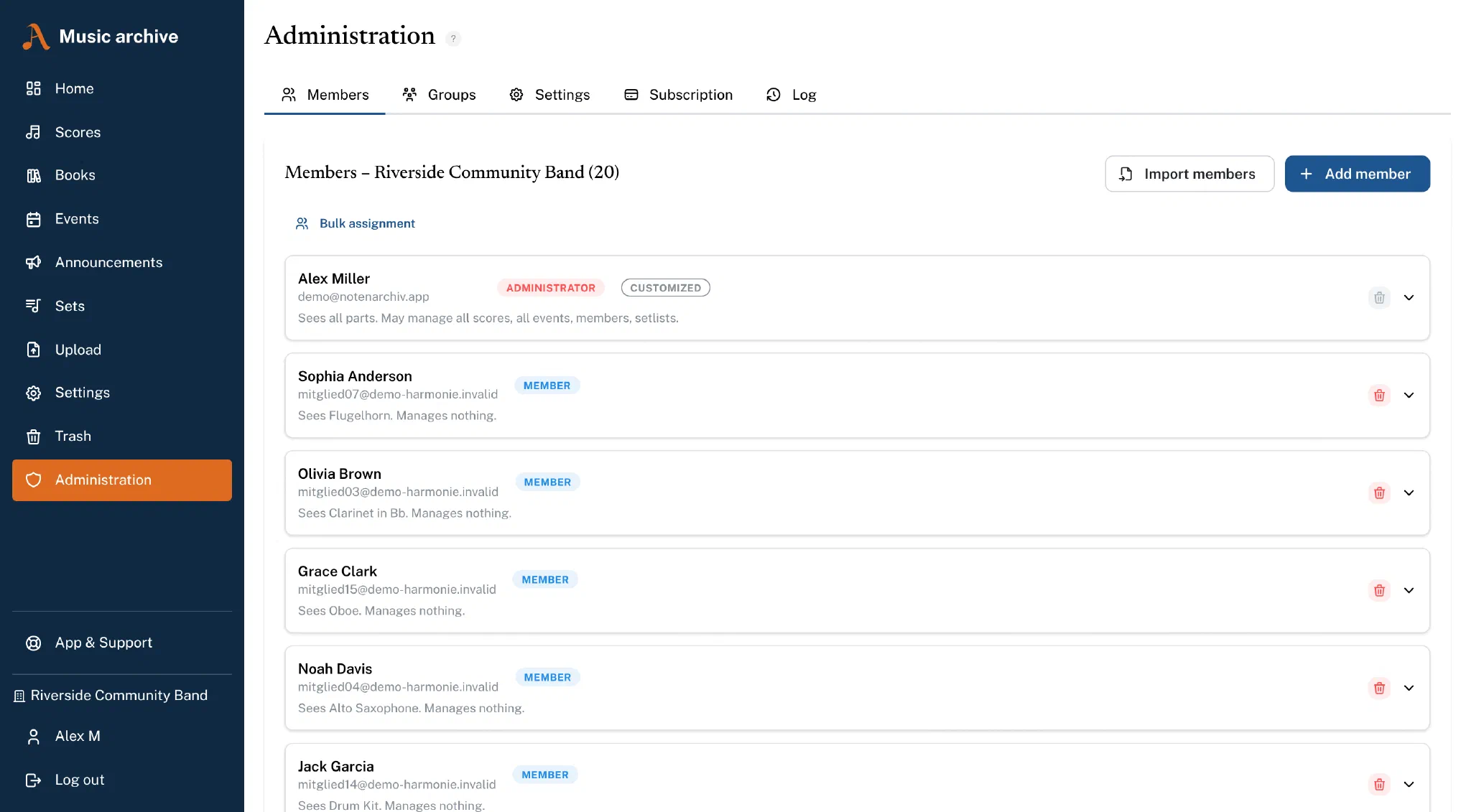
Viewing and managing can be granted separately – an events manager can maintain events without seeing any music. In the member management every role states in plain words what it may do.
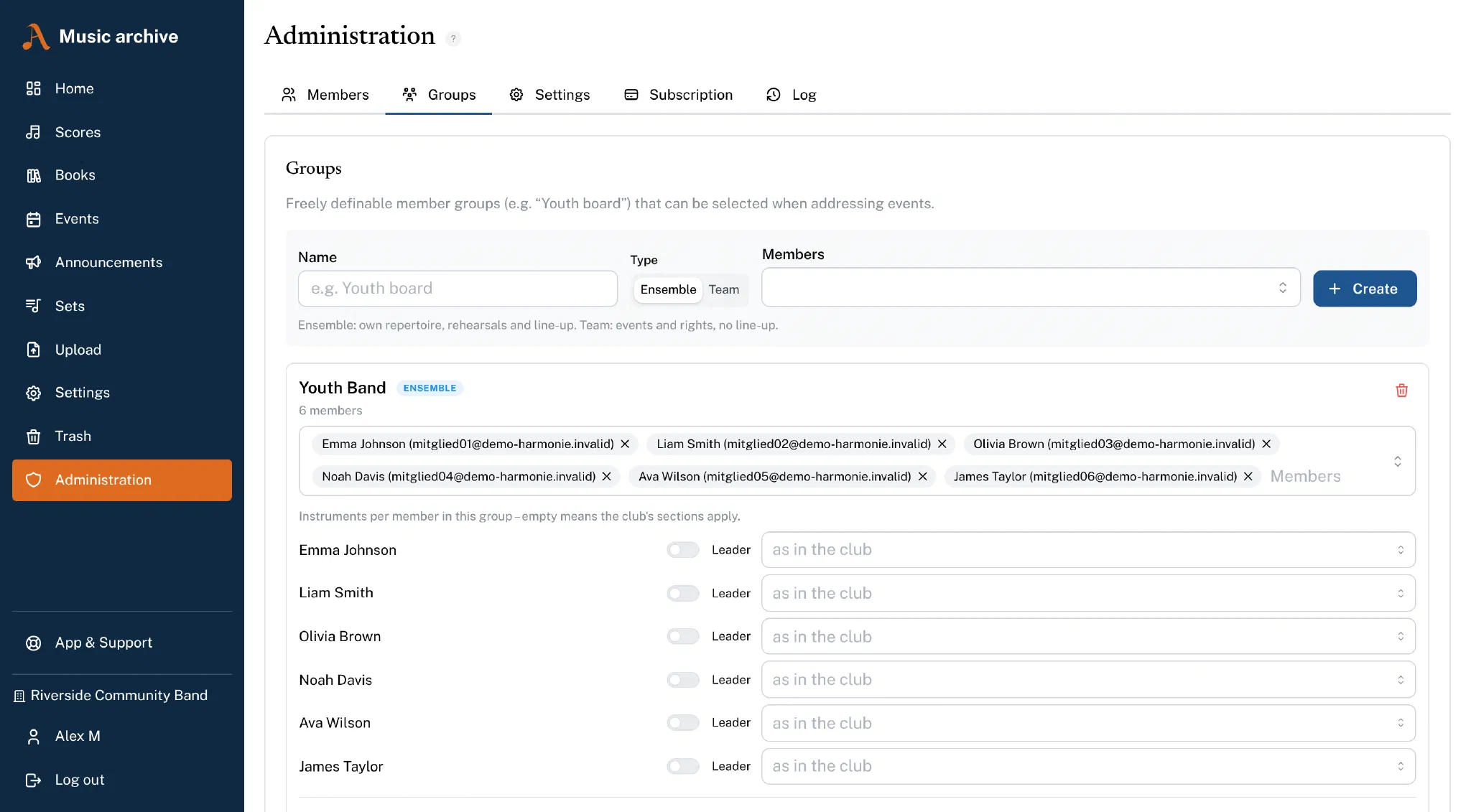
Groups for sections and projects
Alongside instruments you can create groups – "committee", "youth band", "brass sectional", "project orchestra for the church concert". A member can be in as many groups as needed.
Groups are the convenient way to address an event to exactly the right people without clicking together individual sections every time.
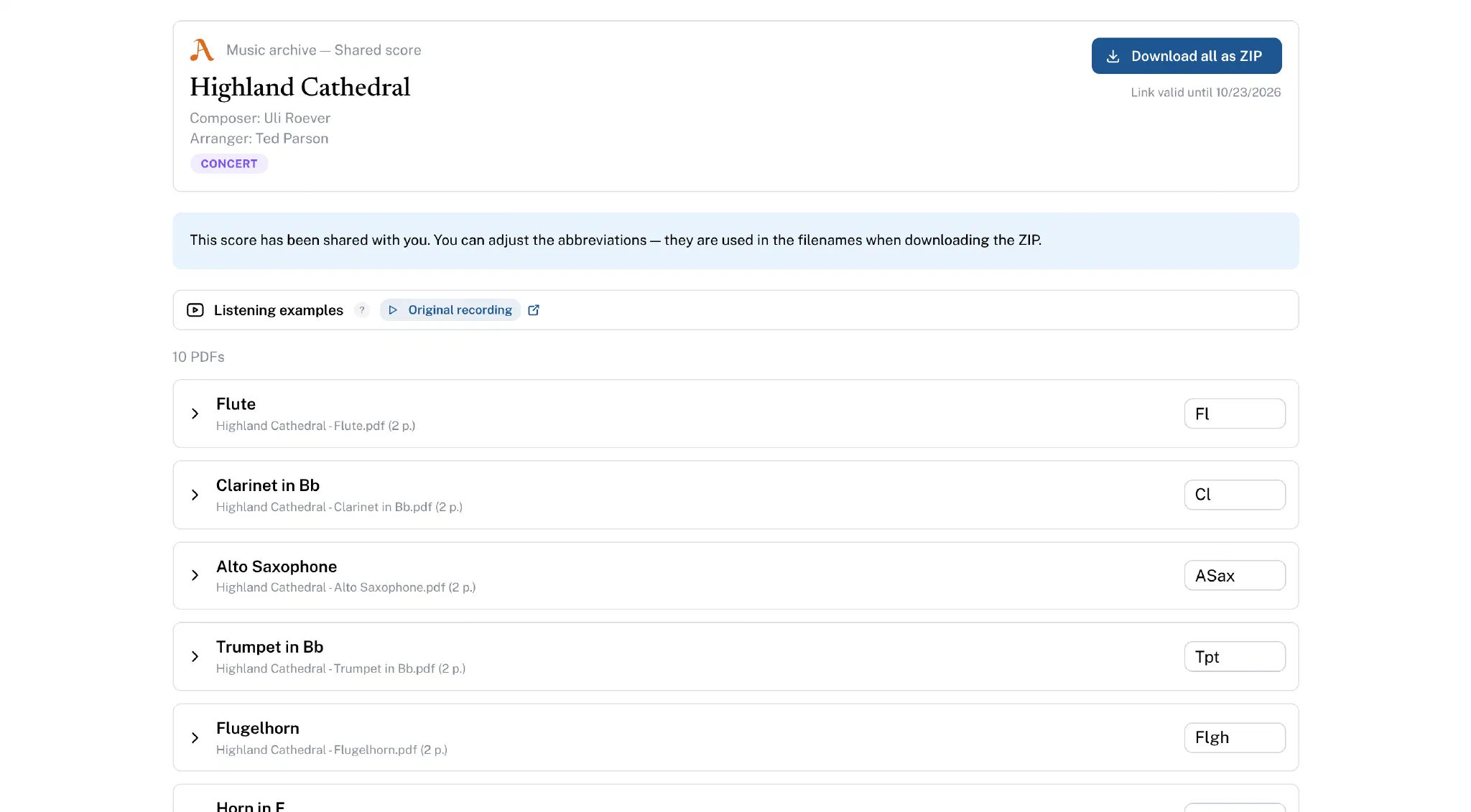
Share sheet music
Share individual pieces via time-limited links with externals – e.g. deputies or other clubs. Recipients can view and download the sheet music, completely without signing in.
You stay in control: links are valid for 14 days and can be deactivated at any time.
Multi-organisation
Manage several clubs or ensembles in one instance. After logging in you simply choose the desired organisation – and can switch at any time.
Each organisation has its own instruments, books, categories and members.
Platform & security
Mobile app
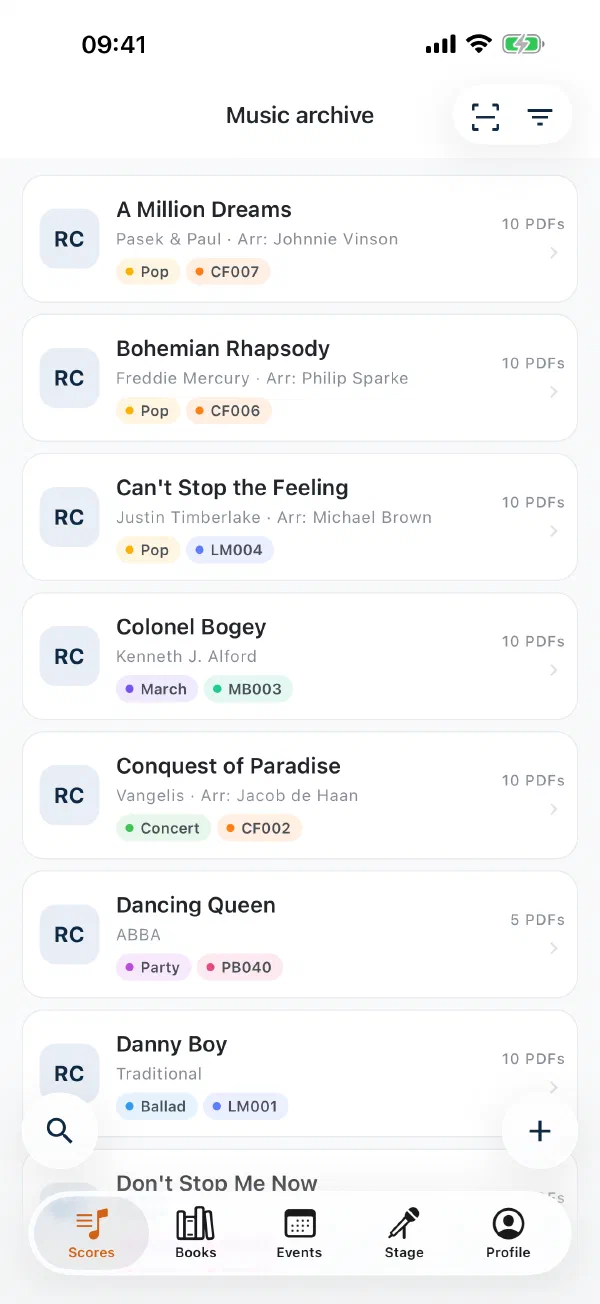
The Notenarchiv app is available on the App Store and on Google Play – manage and view your sheet music right from your iPhone, iPad or Android device. It has long been more than a music viewer: the Music, Books, Events, Stage and Profile tabs cover the everyday life of an ensemble.
- Reading – tap to turn the page, move half pages on individually, and page through with the arrow keys of an external keyboard
- Markings – with an Apple Pencil, S Pen or finger, plus stamps and text notes
- Scanning – capture sheet music with the camera and upload it
- Uploading and sharing – accept PDFs from other apps and assign them to a piece
- Metronome – straight from the reader, with the stored tempo and time signature of the piece
- Manage – maintain members, groups, books, categories and instruments on the go
- forScore handover (iOS) – hand parts to forScore with one tap, including metadata; via the Files app forScore can even reach into your archive directly
The web app is additionally mobile-optimised and works in any smartphone browser – with search, PDF viewer and forScore handover.

Offline in the rehearsal room and the marquee
Rehearsal rooms are in basements, marquees have no Wi-Fi. The app therefore keeps sheet music on the device, on three levels:
- Automatically – every PDF you open stays in the cache
- On request – pin individual pieces via available offline, for instance the eight pieces of the next performance
- By rule – "trumpet 1 from the main folder and the march book" is kept permanently, including pieces added later
- My part – all sheets you have marked as your part stay available offline automatically
- Before every event – the app automatically downloads your parts for all pieces in the programme, 3 to 30 days ahead and depending on your reply; after the event the space is freed again
If you play in several organisations, the offline music of all of them is kept. Details in the guide Having your sheet music offline.
Four languages
The interface and the emails are available in German, English, French and Italian. Each organisation has its own language, and every member can switch for themselves.
The bundled instrument library is translated as well: switch the language and "Clarinet in Bb" comes back as "clarinetto in Sib" – the assignment of parts stays the same.
Passwordless login
No password to remember, no password to forget:
- Magic Link – Log in via an email link with one click
- Passkey – Sign in with fingerprint, Face ID or device PIN. Fast, secure and set up on any device.
Recycle bin and change log
Deleted pieces and parts go to the recycle bin for 30 days and can be fully restored from there – with page assignment, annotations, cropping, book numbers and recordings. A wrong click no longer costs you any music. Only librarians and admins can delete permanently.
In the change log the organisation’s administration sees who changed music, members, permissions or settings and when. Read access, downloads and IP addresses are not recorded.